Snowflake - How do I set the role used by my Agent Handler connector?
Last updated: September 30, 2026
Overview
This guide will outline how to set which Snowflake role the Agent Handler Snowflake connector uses.
Snowflake decides the role when the connection is authorized. If no role is named, it uses the linking user's DEFAULT_ROLE.
Disclaimer: Snowflake does not allow ACCOUNTADMIN, SECURITYADMIN, ORGADMIN or GLOBALORGADMIN for this kind of connection by default. If the person linking has one of these as their default role, linking will fail until a role is named.
Note: This only affects the connector's OAuth option. These roles still work when signing in directly, and with the Key-pair authentication and Programmatic access token options.
Prerequisites
Permission to add or edit the Snowflake connector's application credential in ah.merge.dev.
The role you choose exists and is granted to everyone who will link.
To check a user's roles, an admin can run this in a Snowflake worksheet:
SHOW GRANTS TO USER <username>;Instructions
Step 1: Choose a role
Use a role scoped to what the agent needs (rather than SYSADMIN) where you can. Pick any role other than the four blocked by default: ACCOUNTADMIN, SECURITYADMIN, ORGADMIN, GLOBALORGADMIN.
Avoid PUBLIC: it links successfully, then fails on every query.
Note: This sets one role for everyone who links through this application credential. Each person still gets their own credential, but they all inherit the scopes set here.
Step 2: Add the role to the credential's scopes
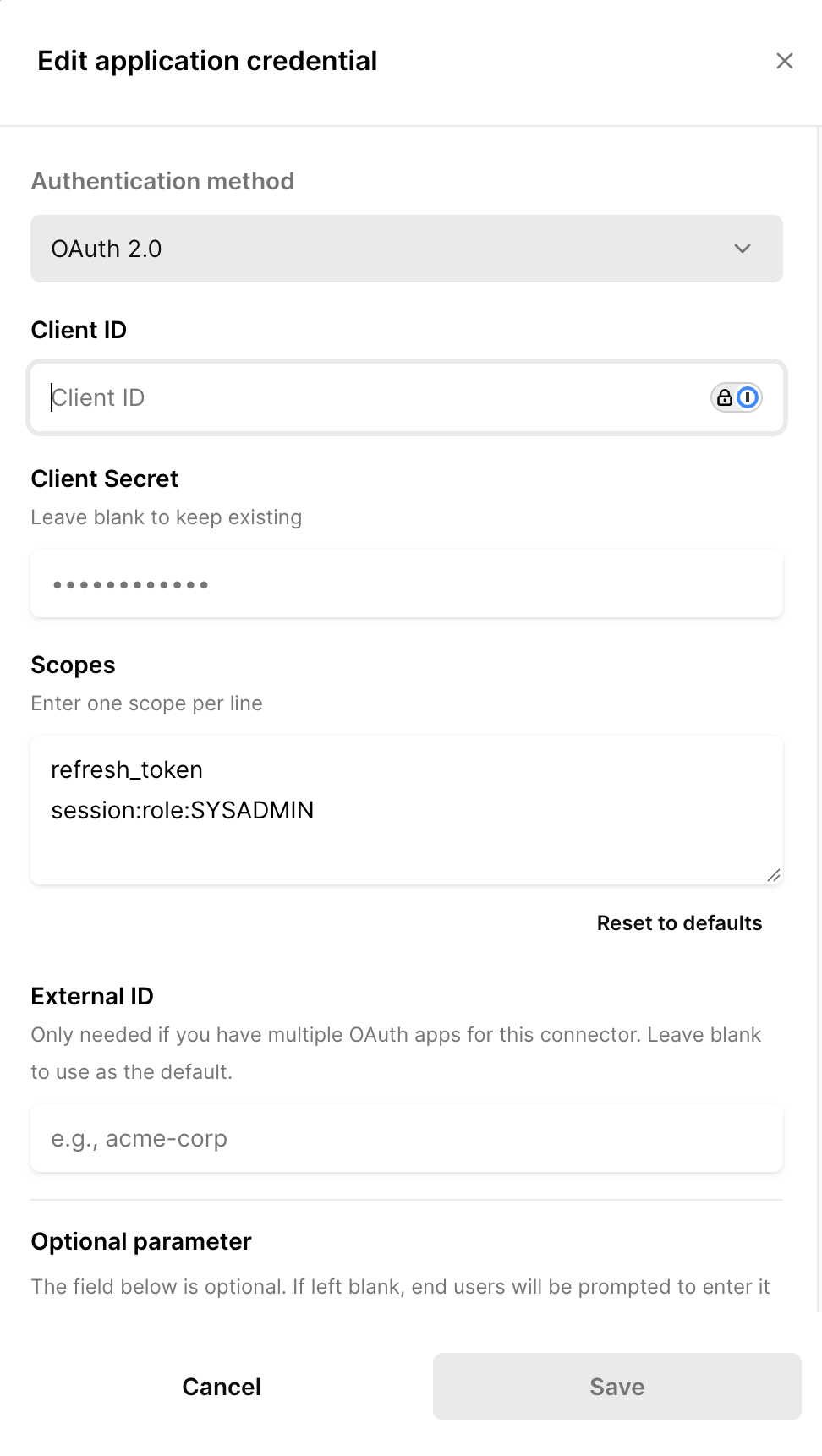
Go to Connectors > Snowflake in ah.merge.dev, then Add application credential or edit your existing one.
In Scopes, enter one per line, replacing YOUR_ROLE with your role:
refresh_token
session:role:YOUR_ROLE
Enter the role name on its own, with no quotes, spaces or brackets. Keep refresh_token, or the connection won't refresh.
Step 3: Link and confirm
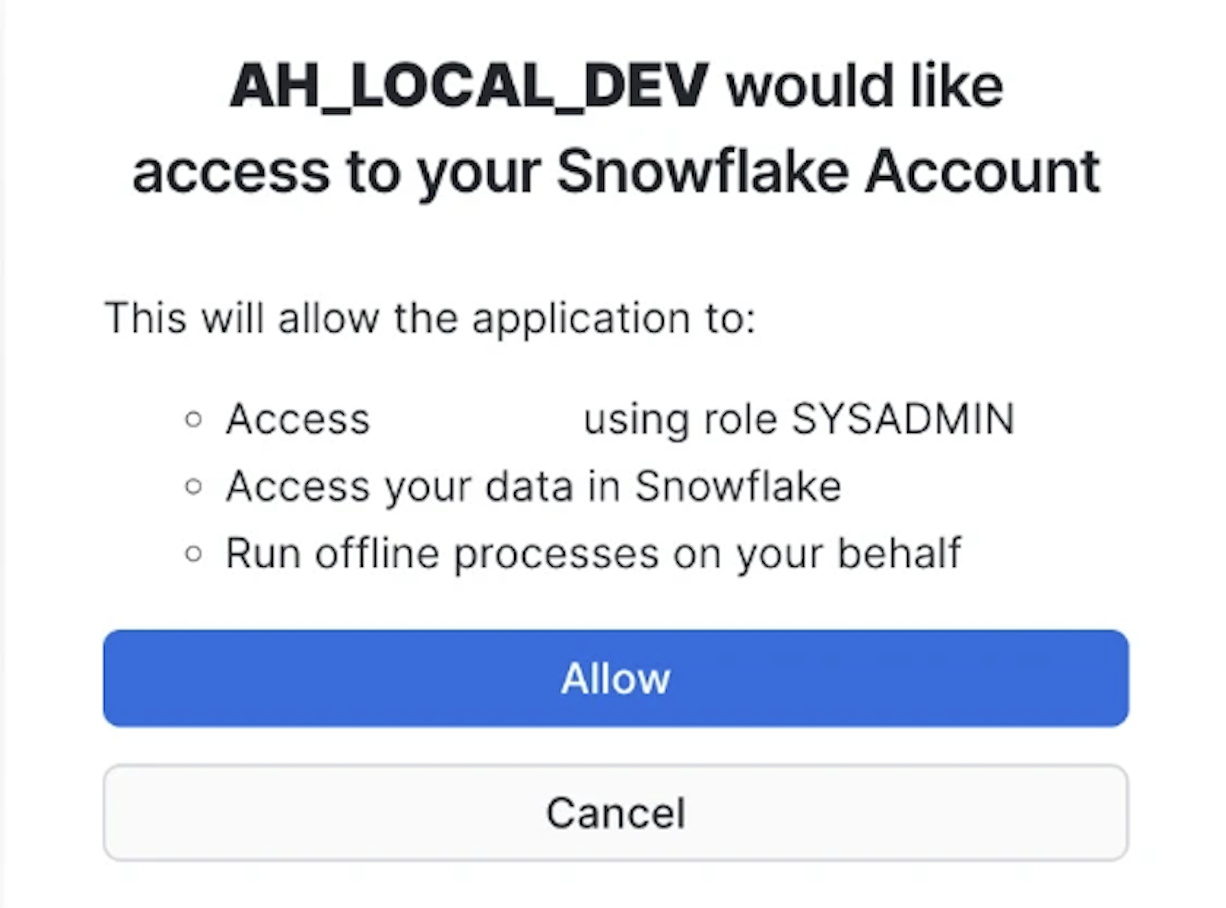
Link the connector as normal. Snowflake's consent screen names the role it will use. Check that it matches the one you chose.
Troubleshooting
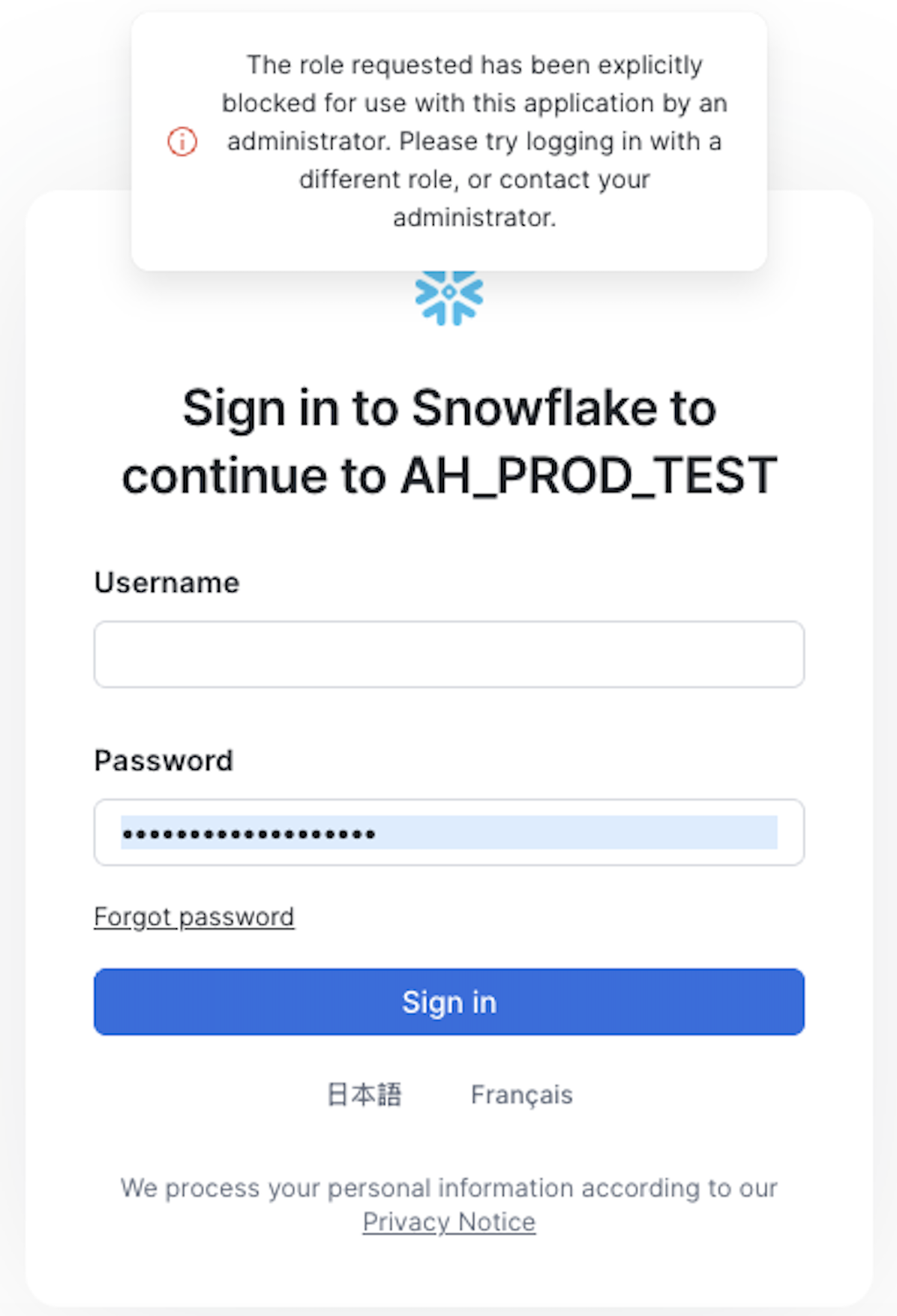
Whether the error names a role tells you which problem you have.
Error | Cause | Fix |
|---|---|---|
"The role requested has been blocked…" with no role named | No role was set, so Snowflake used a blocked | Add the scope in Step 2 |
"The role <name> requested has been blocked…" | That role is blocked | Choose another role |
A role you expect to work is rejected | Your Snowflake admin may have customized which roles are allowed | Ask them to run |
Note: Instead of setting a scope, a Snowflake admin can change the user's default role in a Snowflake worksheet with ALTER USER <username> SET DEFAULT_ROLE = <non-admin role>; and have them relink. This works per-user rather than per credential.